
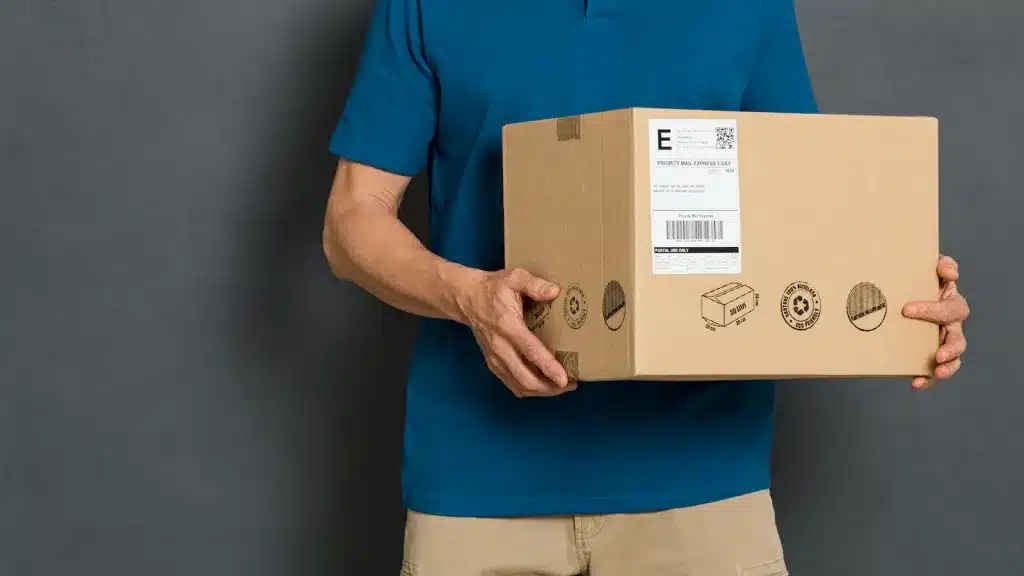

In e-commerce, shipping labels are more than just stickers; they’re the key to fast, accurate, and cost-efficient deliveries. In 2026, with customer expectations at an all-time high, sellers need to streamline label creation with automation and integrations.
This guide explains how to create a shipping label step by step, compares manual and automated methods, and shows how Willow Commerce Shipping Optimization Software helps sellers simplify the process.
Step-by-Step: How to Create a Shipping Label
1. Gather Order Information
- Customer name, address, and contact details
- Package weight and dimensions
- Delivery speed (standard, 2-day, same-day)
2. Choose a Carrier
- USPS, UPS, FedEx, DHL, or regional couriers
- Compare rates for cost efficiency
3. Generate the Label
- Manual: Log into the carrier’s portal, input details, and download the label.
- Automated: UseAmazon Integration, Shopify Integration, or Walmart Integration to auto-generate labels instantly.
4. Print the Label
- Use a standard printer (paper + tape) or thermal label printer.
5. Attach & Ship
- Securely place the label on the package.
- Drop off with the carrier or schedule a pickup.
Comparison Table: Manual vs Automated Label Creation
| Feature | Manual Label Creation | Automated Label Creation (2026) |
|---|---|---|
| Speed | Slow (input required each time) | Instant, auto-generated |
| Error Rate | High (manual data entry) | Low (synced from order system) |
| Cost Optimization | Limited | Real-time carrier rate comparison |
| Scalability | Not scalable for high volumes | Easily handles bulk orders |
| Best For | Very small sellers | SMBs and enterprise retailers |
Benefits of Automated Shipping Labels
- Save time by eliminating manual entry
- Reduce mistakes (wrong address, wrong weight)
- Access real-time carrier discounts
- Centralize order management across Amazon, Shopify, and Walmart
- Improve customer satisfaction with faster processing
FAQs
A document containing the sender’s, recipient’s, and carrier’s details to ensure accurate delivery.
USPS, UPS, FedEx, DHL, and regional couriers—all integrated into Willow Commerce.
A standard printer works, but thermal printers are faster and more professional.
Automation pulls order data directly from your store, generates the correct label, and applies the cheapest carrier rate.
Yes, even small sellers can save time and costs using Willow Commerce integrations.
Creating shipping labels manually works for a handful of orders, but automation will be essential for growth in 2026. By using Willow Commerce Shipping Optimization Software and integrations with Amazon, Shopify, and Walmart, retailers can generate shipping labels instantly, cut costs, and scale with ease.
Automation ensures your fulfillment process is fast, accurate, and customer-friendly, just what modern e-commerce demands.
» Start Your Free Trial