
Have you ever sold the last unit on Amazon, then found Shopify still offering it? Nobody entered the wrong number. The systems failed to speak at the right time. That delay can end with a canceled order.
An e-commerce integrations list shows where information must travel and who owns it. Stores, marketplaces, warehouses, carriers, return tools, and accounting software cannot keep separate versions of one sale. Stock should move after the order. Tracking should return after dispatch. Refund data should reach finance.
What Should an E-Commerce Integrations List Connect?
The connection must cover the whole order. Product records, stock, routing, labels, tracking, returns, fees, and payouts all change later.
| Connection | Information Shared | Result |
| Marketplaces and stores | Listings, prices, stock, orders, tracking | Fewer mismatches |
| Warehouses and 3PLs | SKUs, quantities, locations, routing | Less repeated handling |
| Carriers | Rates, labels, services, tracking events | Faster dispatch |
| ERP and accounting tools | Sales, tax, refunds, fees, payouts | Finance follows the order |
| Returns and analytics tools | Return status, customer and campaign data | Better reporting |
Each field needs an owner. A catalog may control images and specifications. The warehouse controls physical stock. Shipment scans are produced by carriers. Record the money in accounts. Without rules, shared control will result in errors.
How Synced Integrations Ease the Process of Multi-Channel Selling.
Sharing all of the information on the product, inventory, orders, and shipping makes selling much easier when everyone’s on the same page. Manual effort is reduced, errors are eliminated, and routine tasks run smoothly without the need for constant corrections with synced integrations.
Keep Inventory Accurate With E-Commerce Platform Integrations
Inventory problems spread beyond the stockroom into ads, purchasing, support, and marketplace ratings.
Retail stores often report inventory accuracy between 70% and 90%. Distribution centers can exceed 99.5%. For a seller using several channels, occasional spreadsheet updates will not close that gap.
The system must map one SKU across every listing and location. It should count reservations, damage, transfers, cancellations, returns, and bundle components. Basic connections miss these events. One duplicate reservation can leave every storefront showing the wrong quantity.
Process Orders Without Repeated Manual Entry
Copying one order may take two minutes. Across hundreds, addresses get mistyped, warehouses receive duplicates, and staff chooses the wrong service.
Connected order flow imports the purchase, checks required fields, and routes it by stock, destination, parcel size, warehouse capacity, or promised date. Staff handles only the exceptions.
We use routing rules for routine work. People step in for address problems, fraud reviews, backorders, or delivery restrictions. Automation should remove repetition, not hide exceptions.
Maintain Product Details, Pricing, and Catalog Records
Catalog errors arrive one at a time. An old image remains on eBay. Walmart carries wrong dimensions. Etsy shows a discontinued color.
A central record holds titles, images, attributes, SKU links, specifications, and compliance text. Channel copy and pricing can differ, while product identity stays connected.
That is what an amazon walmart ebay etsy shopify integration must get right. It cannot push identical content everywhere and stop there. It must preserve channel rules while keeping inventory and orders tied to the same product.
AI-supported forecasting can reduce inventory levels by 20% to 30%. Still, the forecast depends on reliable history. Late stock updates and duplicate orders can turn a smart forecast into a poor buying decision.
Send Shipping and Fulfillment Updates Without Delay
Shipping makes a broken connection visible. The warehouse prints a label, yet the marketplace says “processing.” Support finds tracking in a separate carrier portal.
A carrier connection should compare services, apply shipping rules, create the label, and send tracking back. UPS, FedEx, USPS, and DHL fit different parcels, routes, cutoff times, and delivery promises.
We connect those steps so shipment data moves past label creation. For split shipments, each tracking number must match the right items. That saves staff from reopening orders to check whether another system received the same status update.
Connect Returns, Accounting, and Analytics Data
A return changes stock, revenue, marketplace fees, tax records, customer history, and channel profit.
The return tool should match the request to the original order, record the reason, track the parcel, and update item condition. Sellable goods can return to available stock. Damaged goods should not.
Accounting connections carry sales, refunds, tax, fees, shipping charges, and payouts into the books. Analytics can then compare channel profit after returns, advertising, and fulfillment costs.
Reduce Operational Errors as Order Volume Grows
A setup may work at 100 daily orders and fail at 2,000. Volume brings refunds, split shipments, bundles, limits, and failed API calls.
Test awkward cases before launch. What happens when one connection drops? Does a retry create another order? Does a returned bundle restore each component? Can staff reprocess one failed record without changing a successful one?
Good e-commerce platform integrations log the event, assign ownership, and show the next action. Alerts should point to orders needing work, not fill inboxes with technical noise.
How Willow Commerce Connects Multichannel Sales Operations
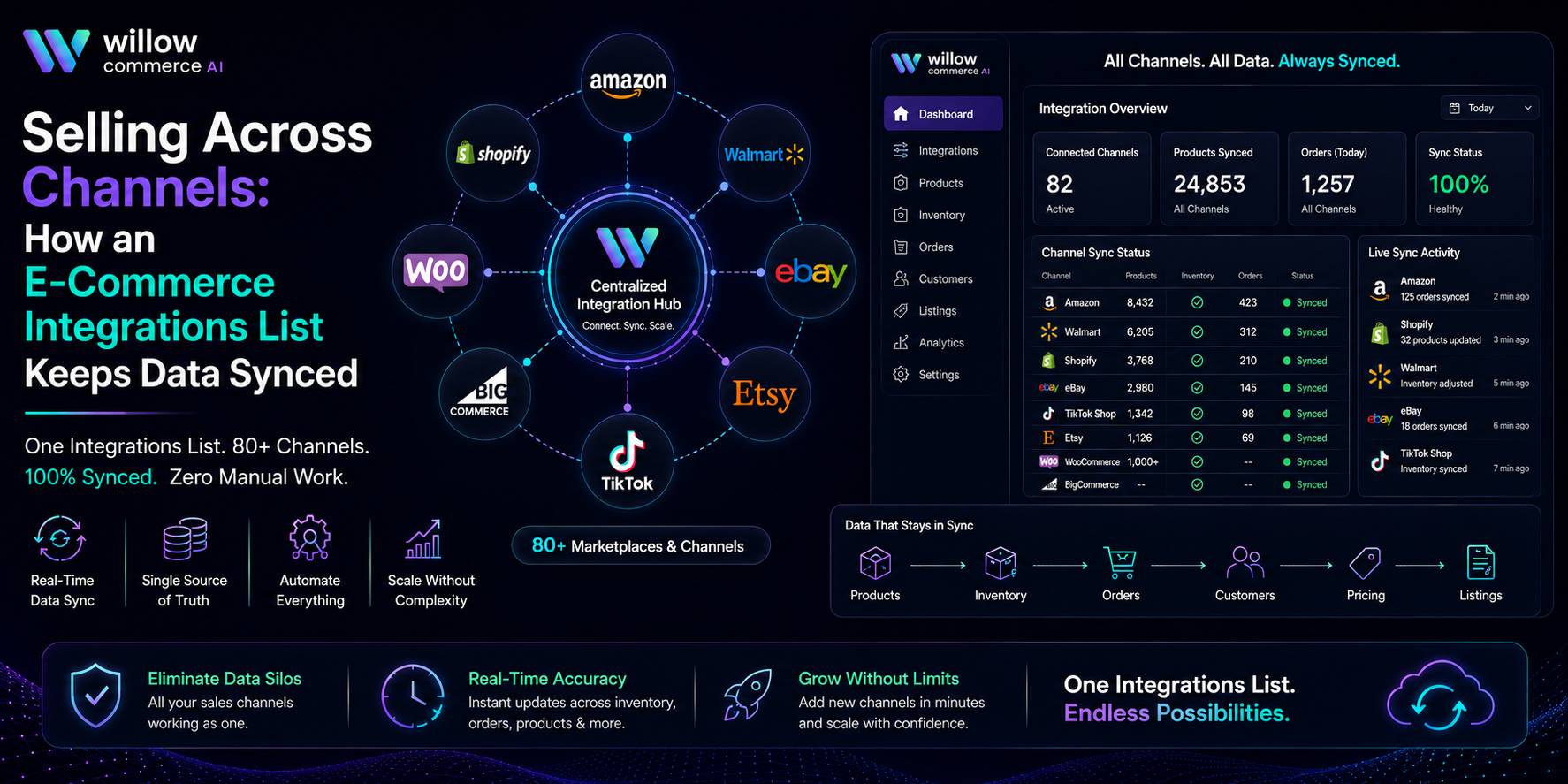
Willow Commerce works between marketplaces, online stores, warehouses, carriers, accounting systems, and other business tools. We bring catalog data, inventory, orders, fulfillment, shipping, and tracking into one operating view, then return each update to the channel that needs it.
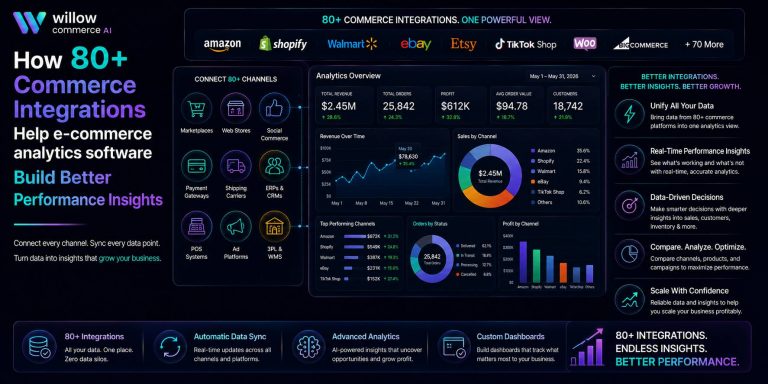
The platform lists more than 80 connections. It also supports multiple warehouses, 3PL workflows, custom routing rules, and REST API access. A business can keep useful software instead of replacing every system during one difficult migration.
Company-reported client results include:
- Galaxy by Harvic manages more than 5,000 SKUs and reports 99.8% inventory accuracy.
- Style Asia connects over 10 marketplaces and reports 40% fewer warehouse errors.
- Rocket 3PL manages over 15 clients and fulfills more than 50,000 monthly orders.
We focus on the movement after setup. Orders, stock, tracking, returns, and warehouse events must keep traveling both ways. A connection that works only on launch day is not much use.
What to Review Before Selecting Integrations
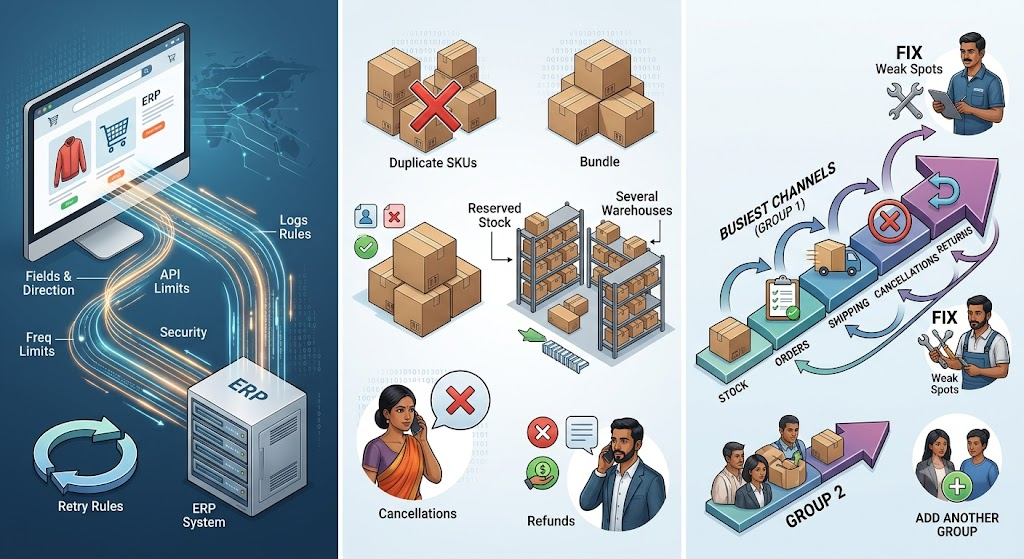
Do not judge a connector by its logo page. Ask which fields move, in which direction, and how often. Check API limits, retry rules, logs, and security.
Test duplicate SKUs, bundles, reserved stock, several warehouses, cancellations, refunds, and channel-specific fields. These details decide whether staff can trust the workflow.
A staged rollout causes fewer problems. Start with the busiest channels. Test stock, orders, shipping, cancellations, and returns. Fix weak spots, then add another group.
Conclusion: Create One Connected System for Every Sales Channel
Multichannel selling works better when product, inventory, order, shipping, return, and financial records follow one route. The right e-commerce integrations list can cut overselling, reduce repeated work, and make channel launches easier. We connect the systems behind your operation and fit the workflow to how your team sells. Contact our team, and let us build the connection plan your channels need.
Frequently Asked Questions
Can Different Marketplace SKUs Link to One Product?
Yes. Mapping rules can connect channel identifiers with one internal product and warehouse record.
Must a Seller Replace an Existing ERP?
No. Native connections or an API can link marketplace activity with the current ERP.
Can Prices Differ Across Sales Channels?
Yes. Sellers can keep separate prices, promotions, fees, and margin rules for each channel.
How Should Bundles Update Inventory?
The system should deduct every component when a bundle sells and restore components after cancellation.
Which Integration Should a Seller Add First?
Start with the channel creating the most order volume, inventory work, or fulfillment errors.